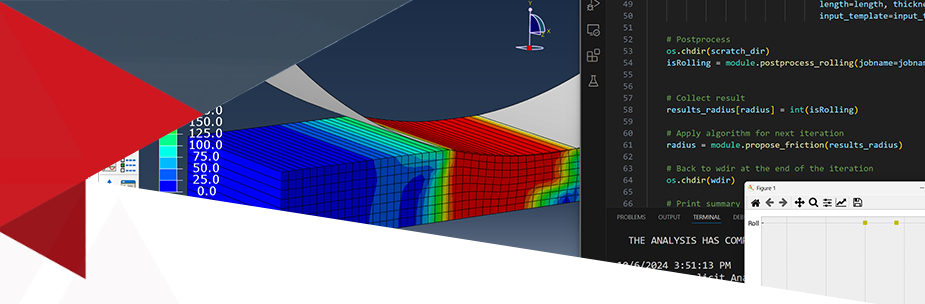
How can Python automate and streamline FEA workflows?
What techniques allow for batch analysis and iterative optimization using Python in FEA?
How does integrating Python enhance the efficiency and accuracy of Finite Element Analyses?
Python for FEA: Automation and Optimization
This course is designed to help you automate those repetitive tasks and run complex optimizations without being locked into a specific software package.
Who Should Attend?
- Engineers and Analysts looking to automate tasks and improve simulation accuracy.
- FEA Software Users aiming to script repetitive tasks and customize simulations.
- Researchers and Academics integrating FEA with data analysis and computational tools.
- Design Engineers involved in optimization and parametric studies.
You Will Learn To:
- Master Python fundamentals and engineering libraries (NumPy, Pandas).
- Automate FEA workflows and parameterize models.
- Perform batch analyses and implement programmatic optimization.
- Enhance problem-solving efficiency through advanced automation.
Course Content
Session 1: Introduction to Python in FEA
Learn Python fundamentals, data structures (lists, dictionaries), and control flow. Set up the environment using Conda and Visual Studio Code and explore NumPy and Pandas for handling numerical engineering data.
Session 2: Python Scripting for FEA
Focus on automation techniques using APIs and external environments. Practice parameterization and command-line execution through a sequential Buckling Analysis workflow, covering everything from input files to visualization.
Session 3: Batch FEA Analyses with Python and Excel
Understand the power of loops to run multiple simulations. Integrate Excel via Pandas to read variables and export results systematically, enabling scalable sensitivity analyses and design studies.
Session 4: Total Simulation—Iterative Optimization
Integrate all steps into an automated loop for "Total Simulation." Study Cold Rolling Analysis to optimize friction coefficients and roller radii. Learn to define target functions and use Gmsh for dynamic mesh generation.
Secure your Place
Why an E-Learning class?
Travel and training budgets are always tight! The e-Learning course has been developed to help you meet your training needs.
If your company has a group of engineers or specific training requirements across any subjects, please contact us to discuss options.